Town Accounts Tab
The Town Settings Town Accounts Tab allows you to enter your municipality's account numbers for each warrant and category. Once the account numbers are entered, the deposit report will reflect the account numbers next to the corresponding warrants every time the deposit report is displayed (see Deposit). To add account numbers to your deposit report, from the main menu select Utilities | Town Settings and select the Town Accounts tab.
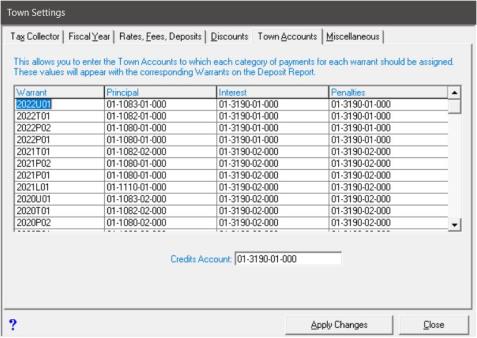
Enter the account numbers into the grid and click Apply Changes.